Skip to content

OneRoofCommunity management, made simple

Everything your community needs. Under one roof.

OneRoof brings residents, association management, communication and community requests together in one simple platform.

  • Built mobile-first
  • Role-based access
  • One account, many communities

New announcement

Water tank cleaning · Sat 10 AM

Request resolved

Lift servicing · Block B

9:41

Good morning, Priya

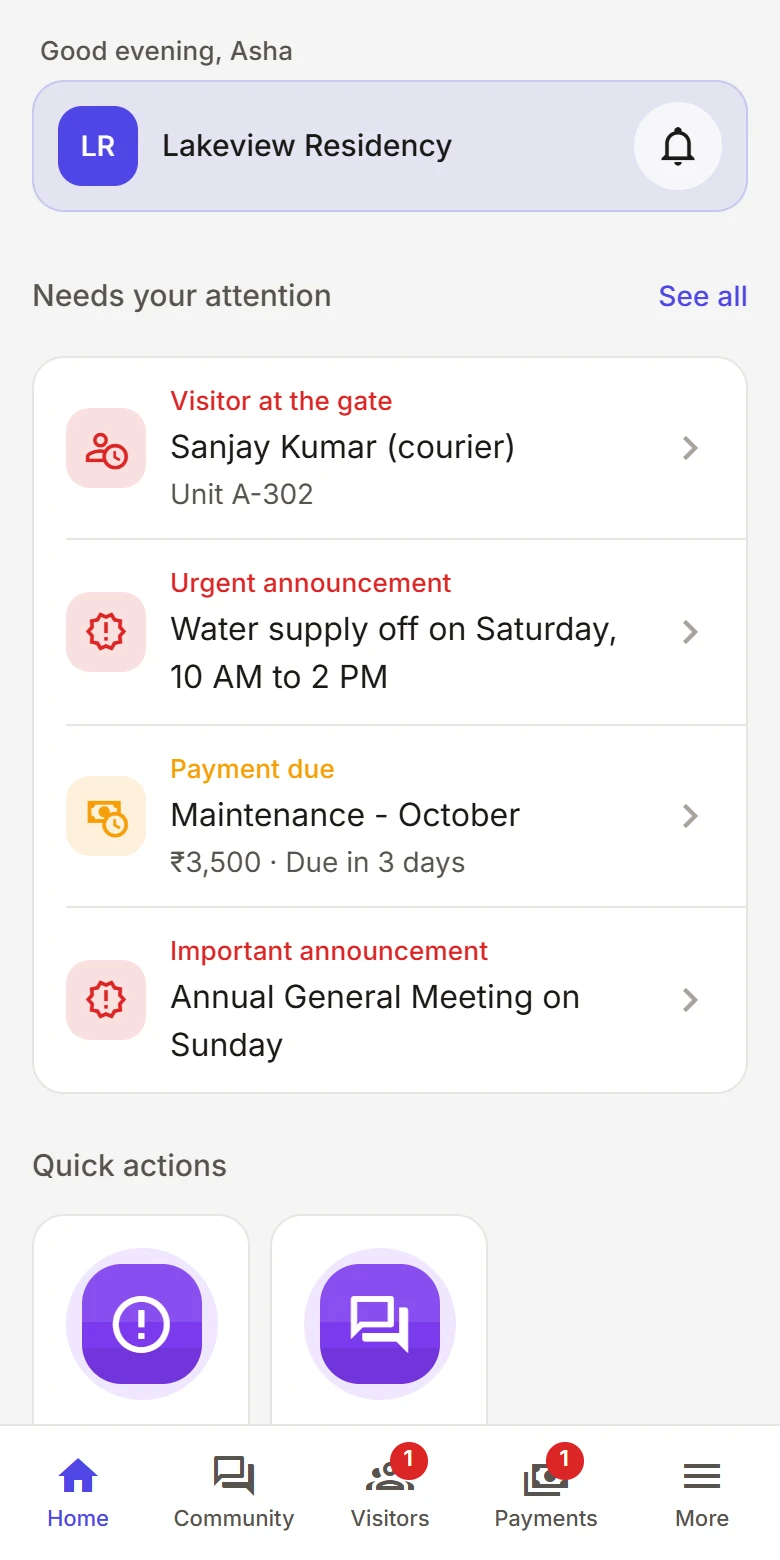
Lakeview Residency

Pinned

Annual General Meeting

Sunday, 10:00 AM · Clubhouse

Raise request

New discussion

Community

MI

Visitor parking rules

Meera · Discussion

RDSKAM14 replies

Lift servicing · Block B

Your request

In progress
HomeNoticesDiscussRequests

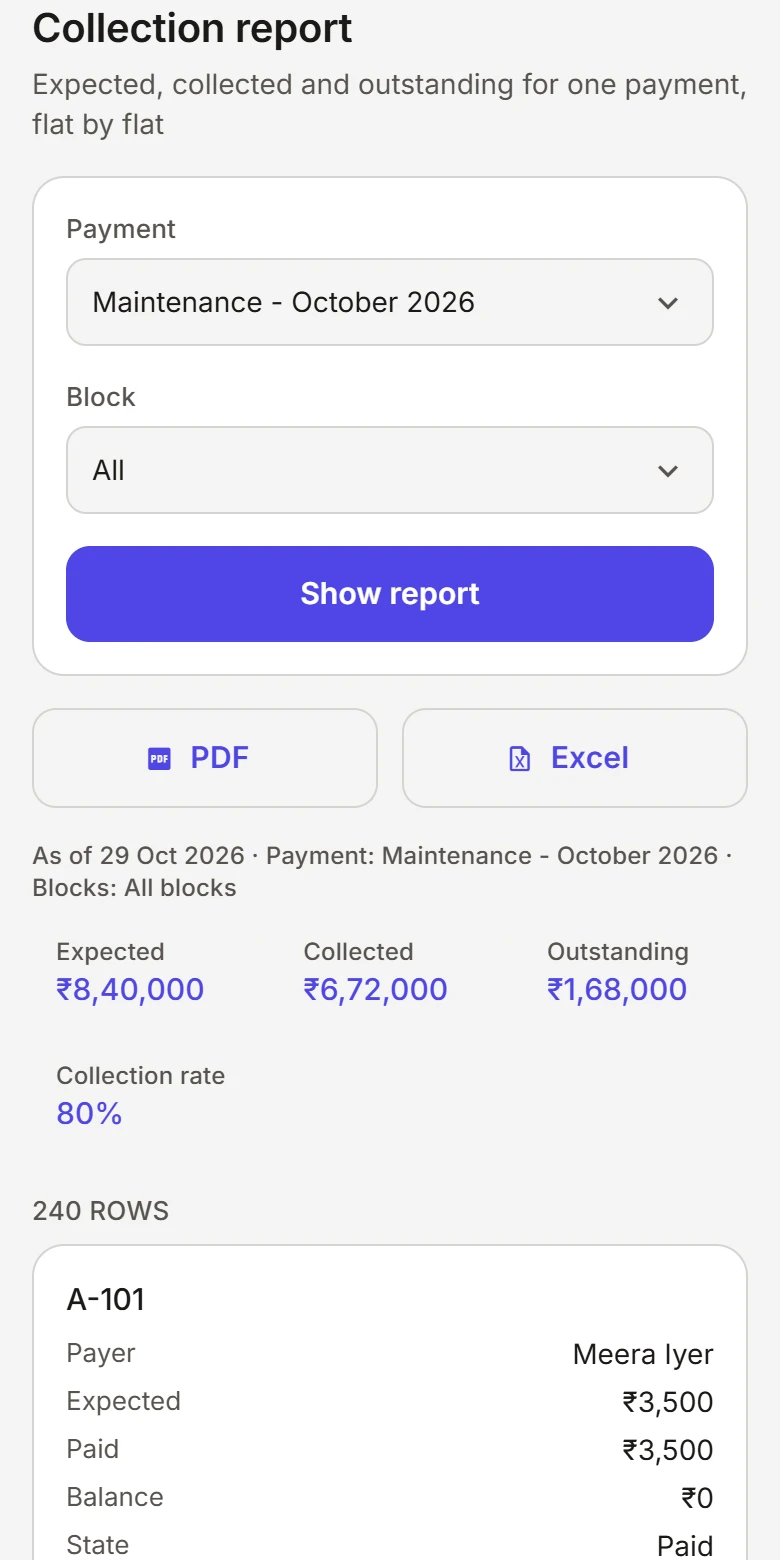
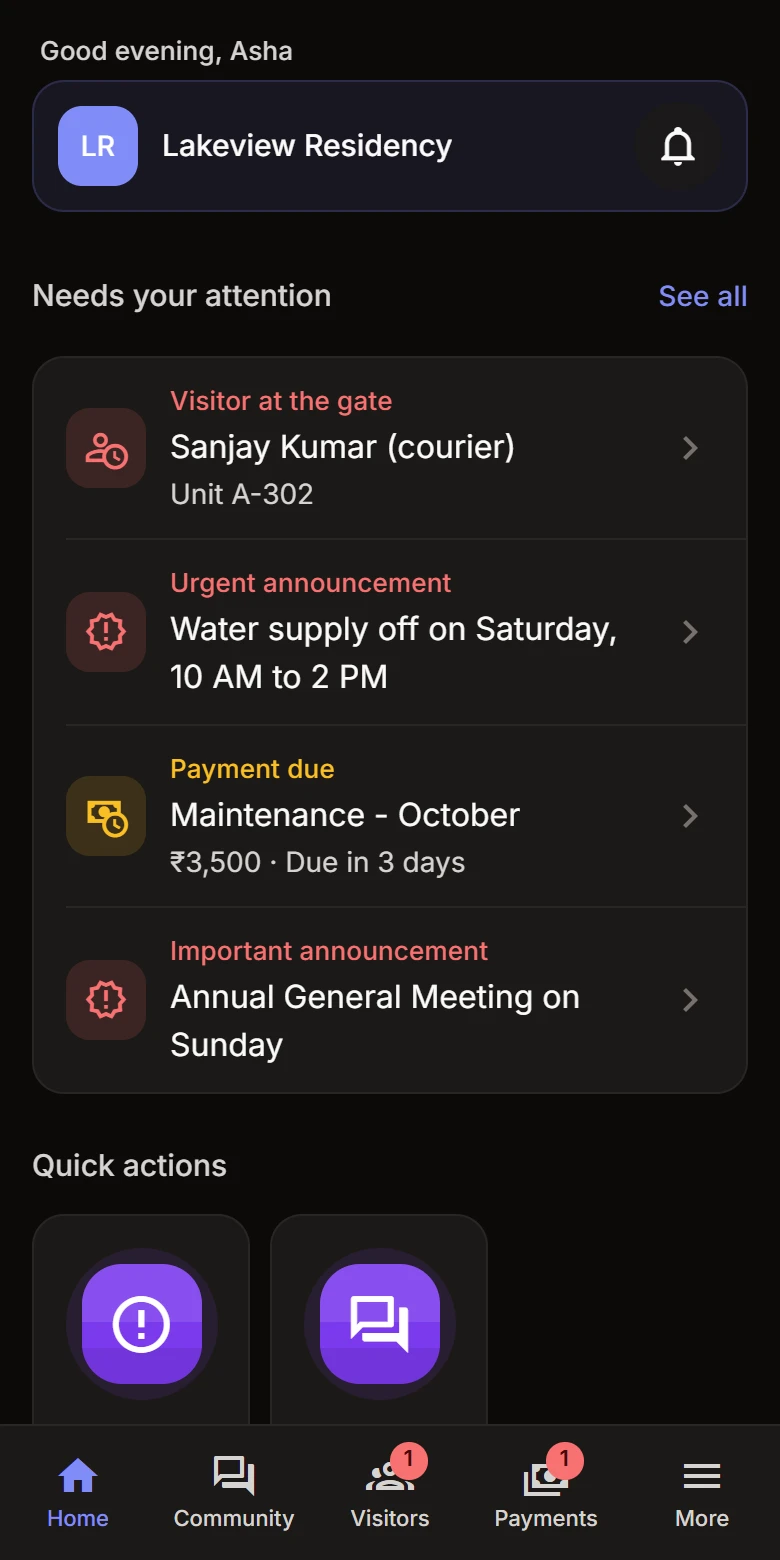
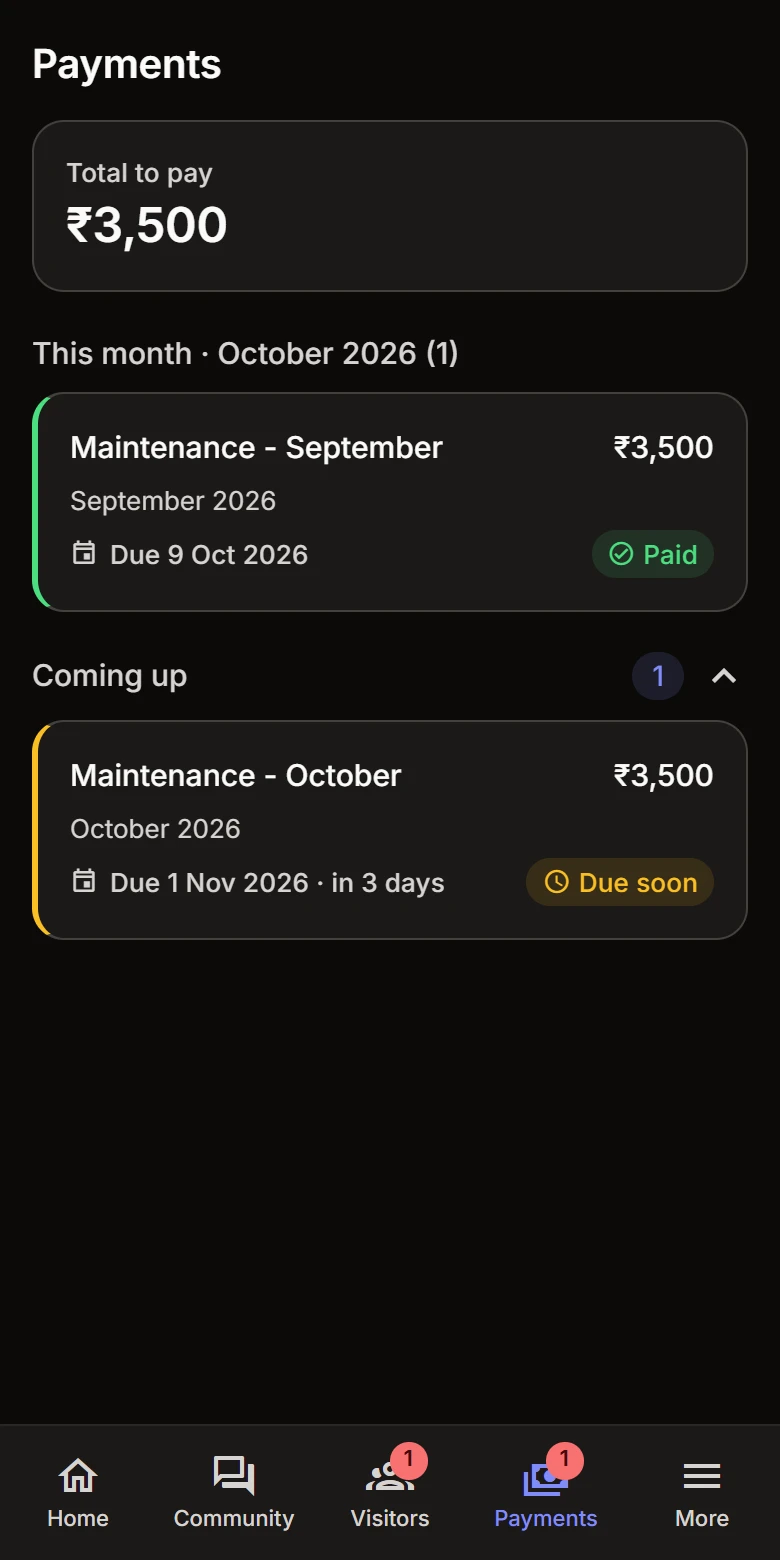
Why OneRoof? Community life is scattered across WhatsApp groups, spreadsheets, phone calls, paper notices and multiple apps. OneRoof brings it together.

Why OneRoof?

Features

Every part of community life, thoughtfully connected.

Eight essentials, designed to work together — so your community stops juggling separate tools.

01 / 08

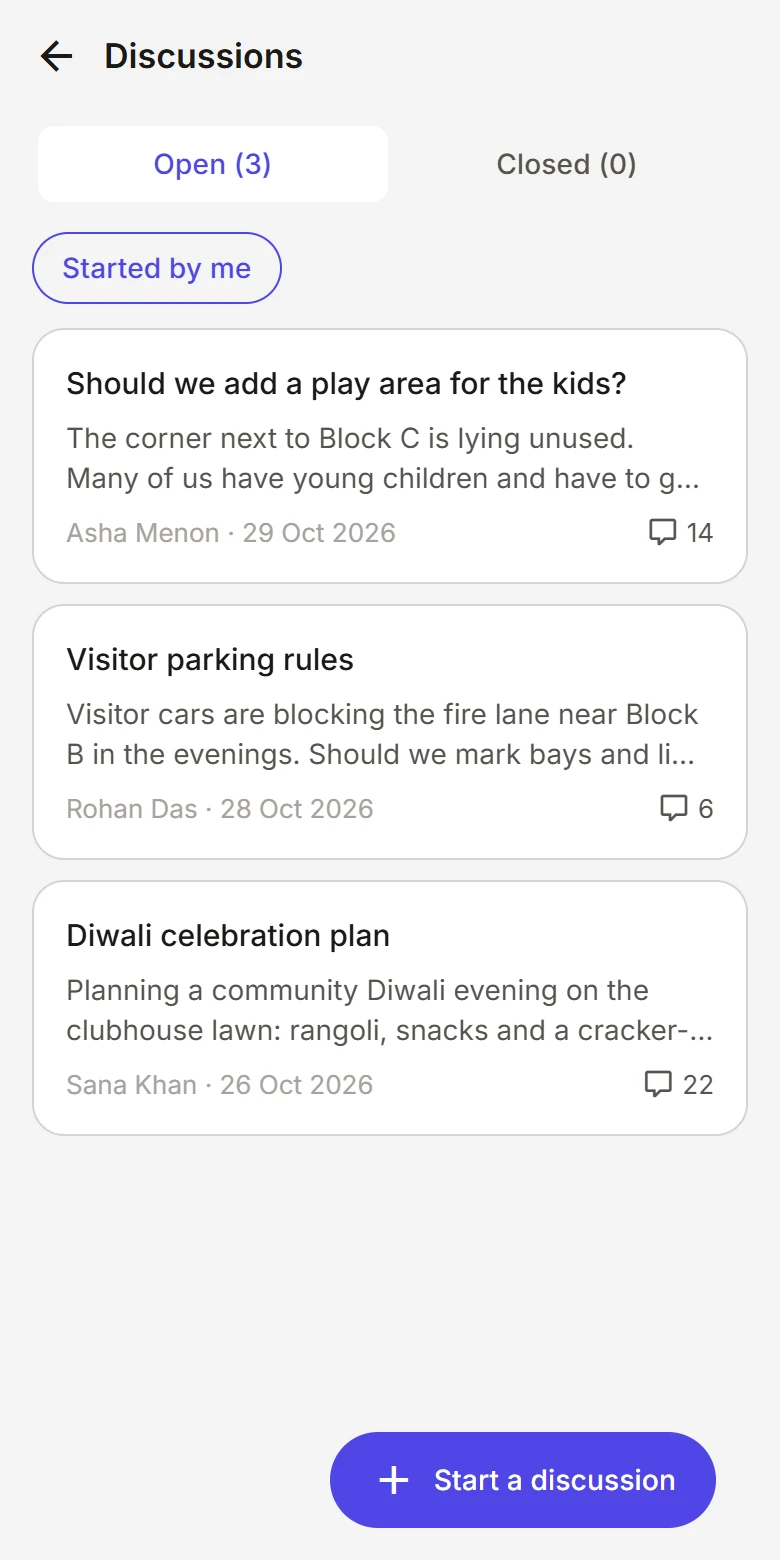
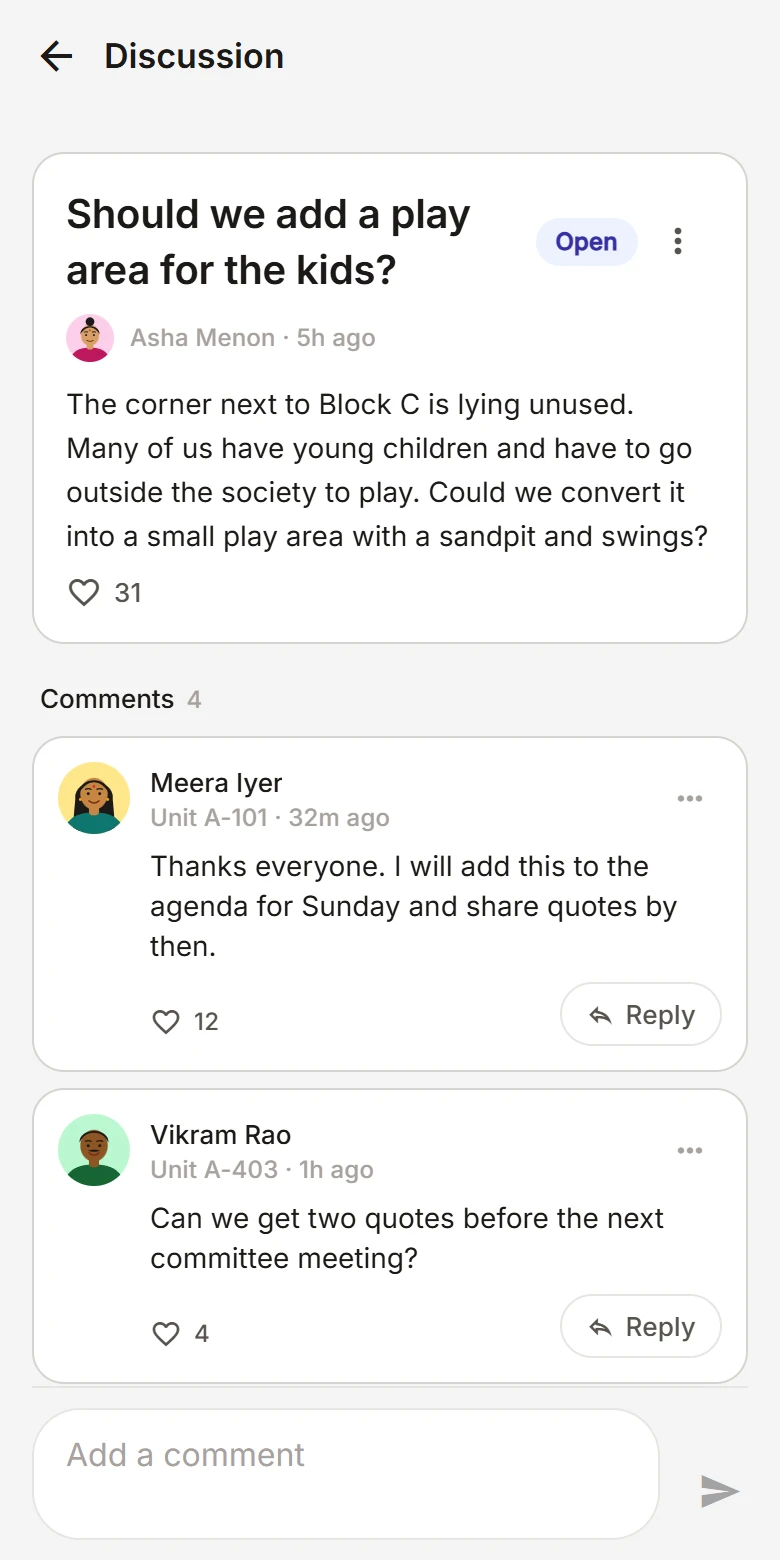
Community Discussions

Give residents a dedicated place to discuss community topics instead of losing conversations inside WhatsApp groups.

Threads organised by topic, easy to find again
Every resident can join in, in one shared place
Committee members can moderate when needed
02 / 08

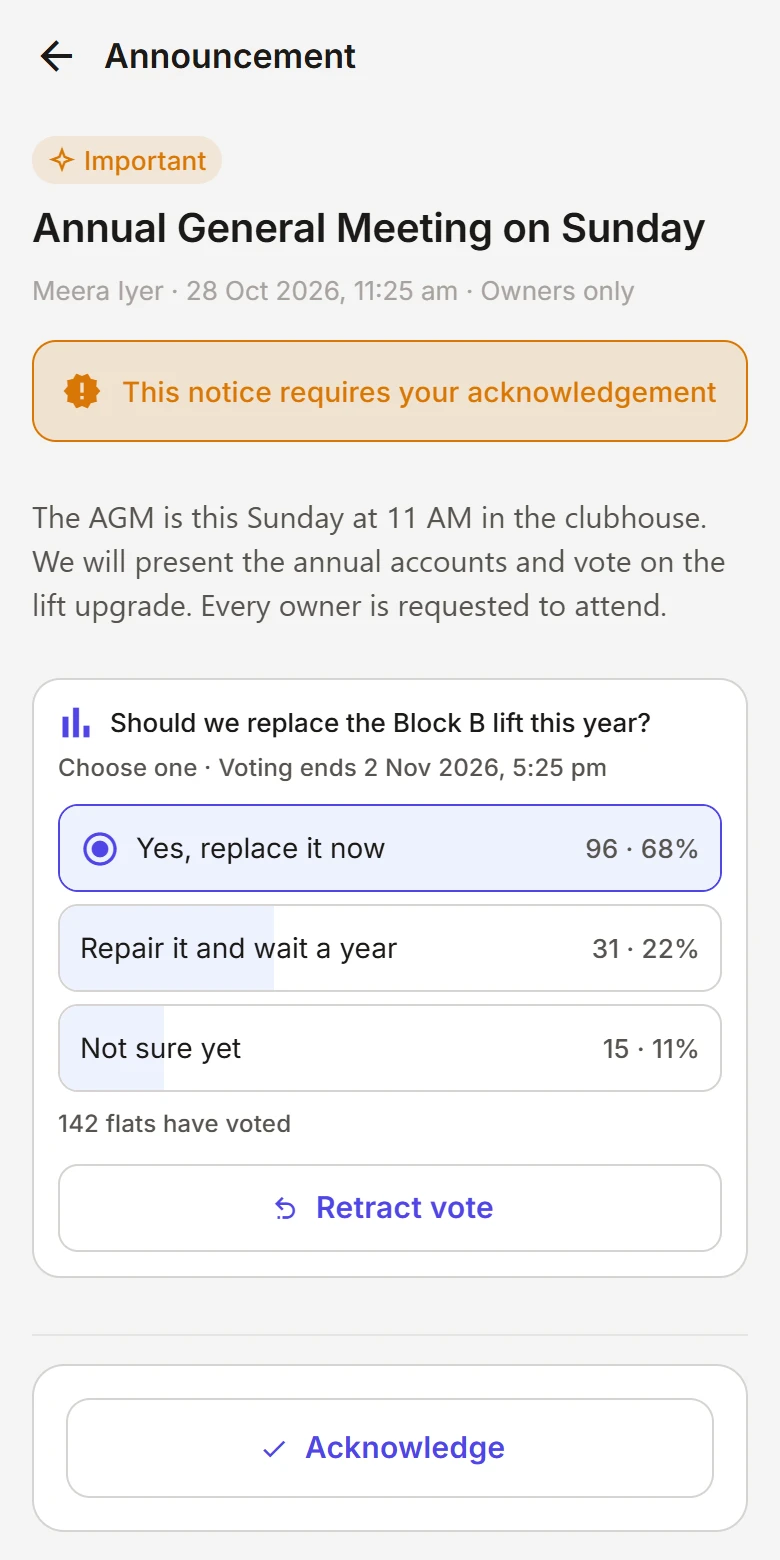
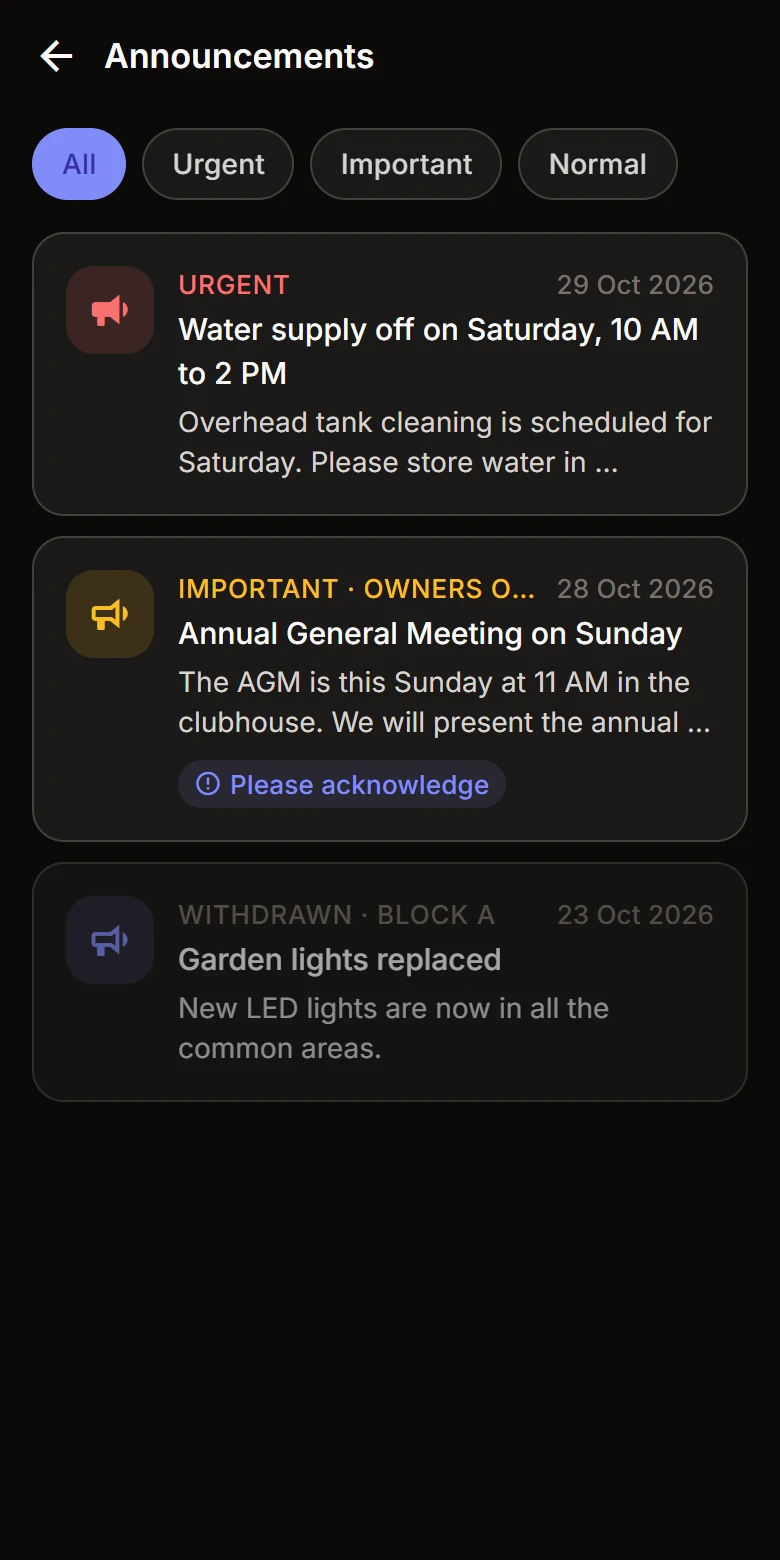
Announcements

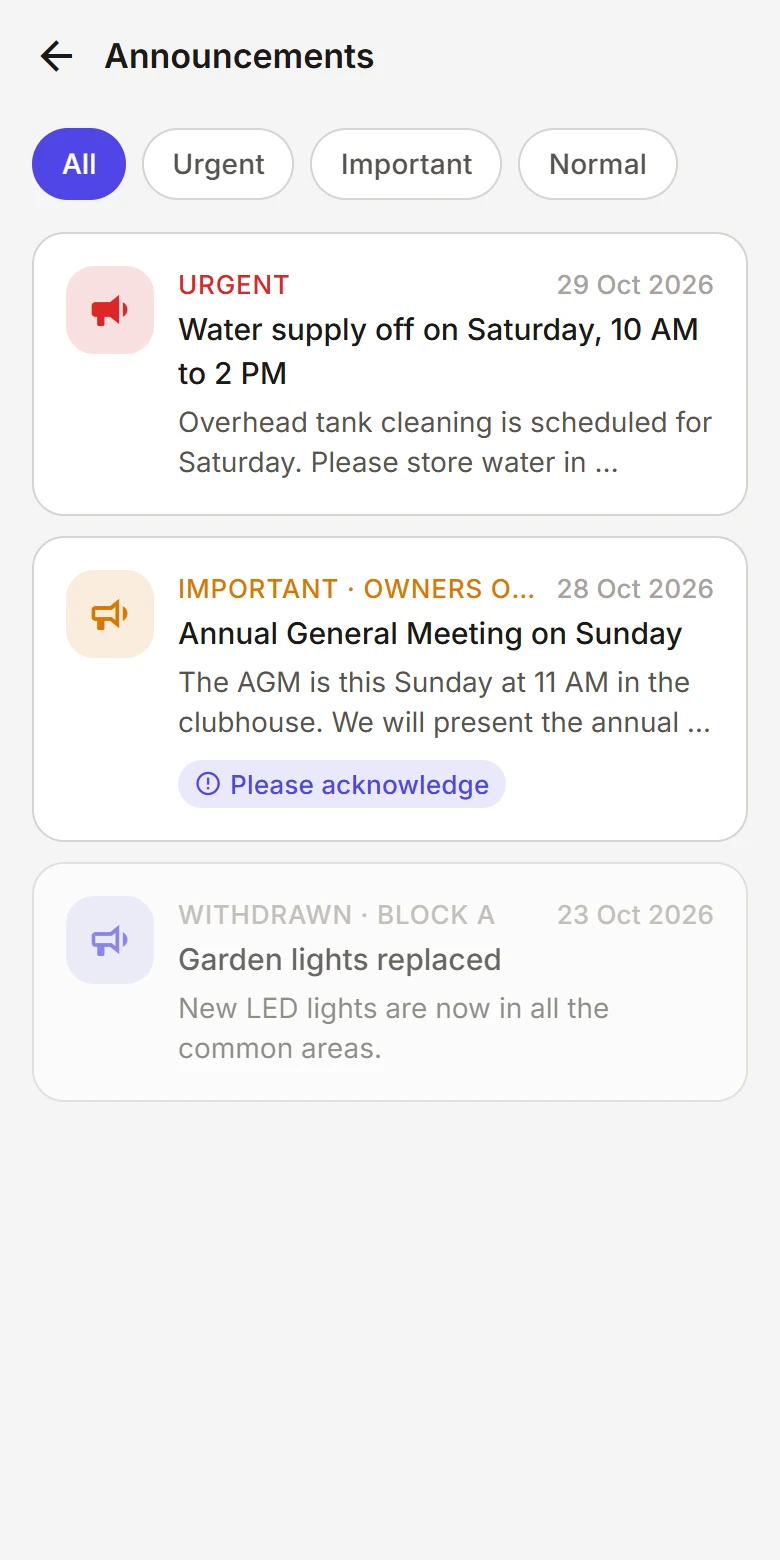
Help association members communicate important updates to the entire community — clearly, and only from people authorised to publish them.

Reach the whole community from a single post
Important notices stay visible, not buried in a chat
Only authorised members can publish
03 / 08

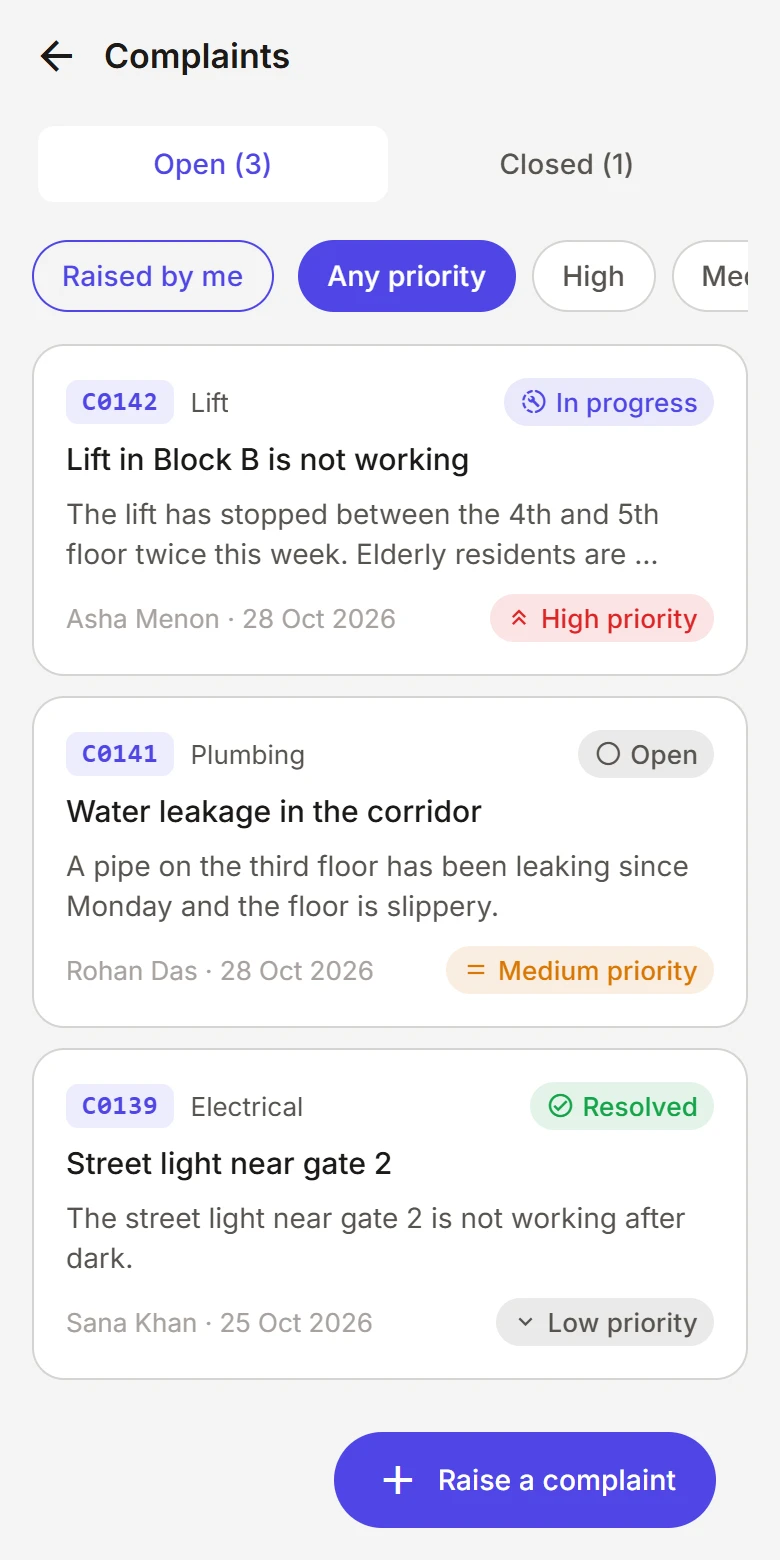
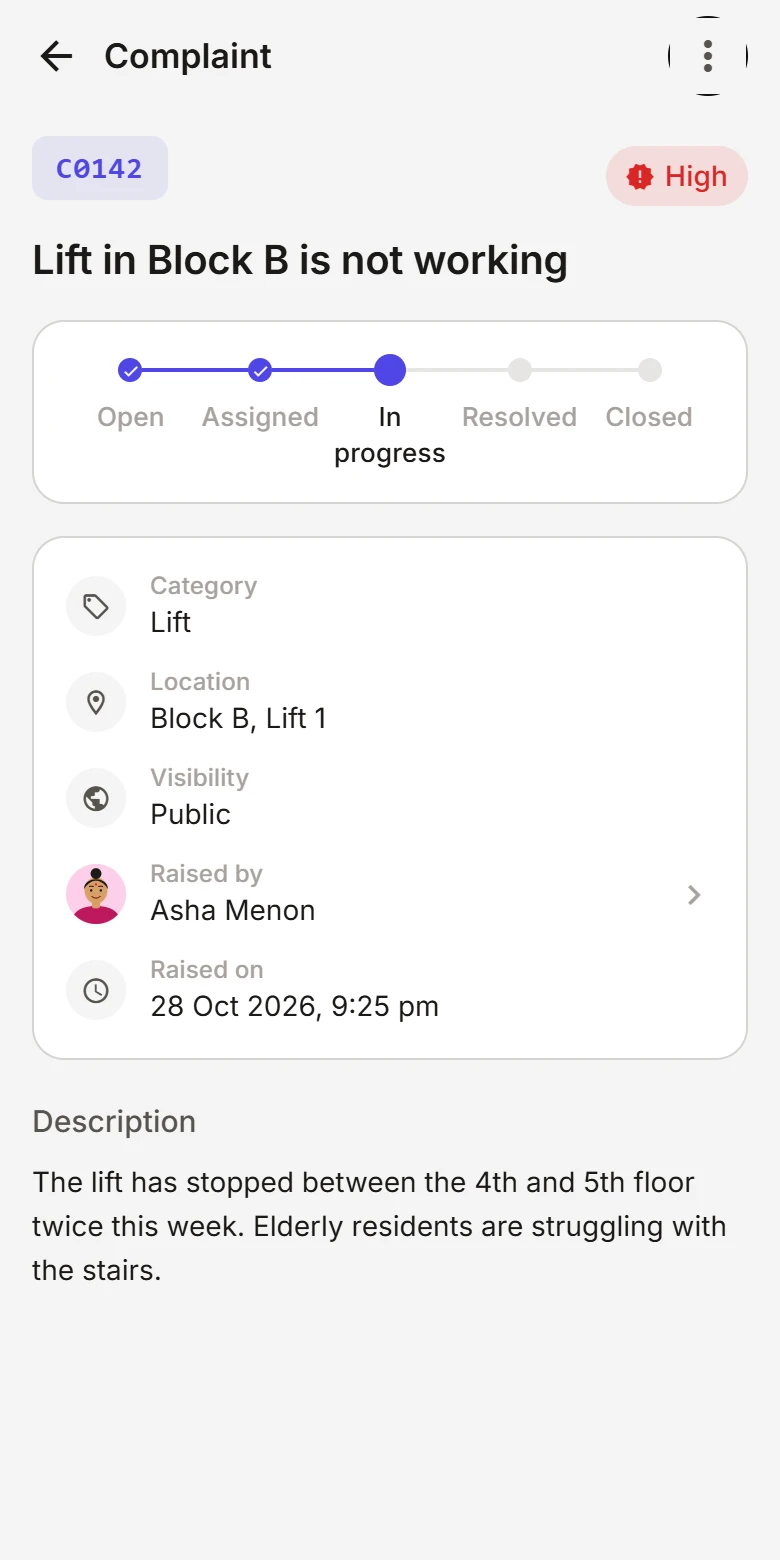
Complaints & Requests

Residents can raise complaints or requests and track their progress — no more chasing people over phone calls.

Raise a request in a few taps
Follow every step from submitted to resolved
Committee members review and update each request
04 / 08

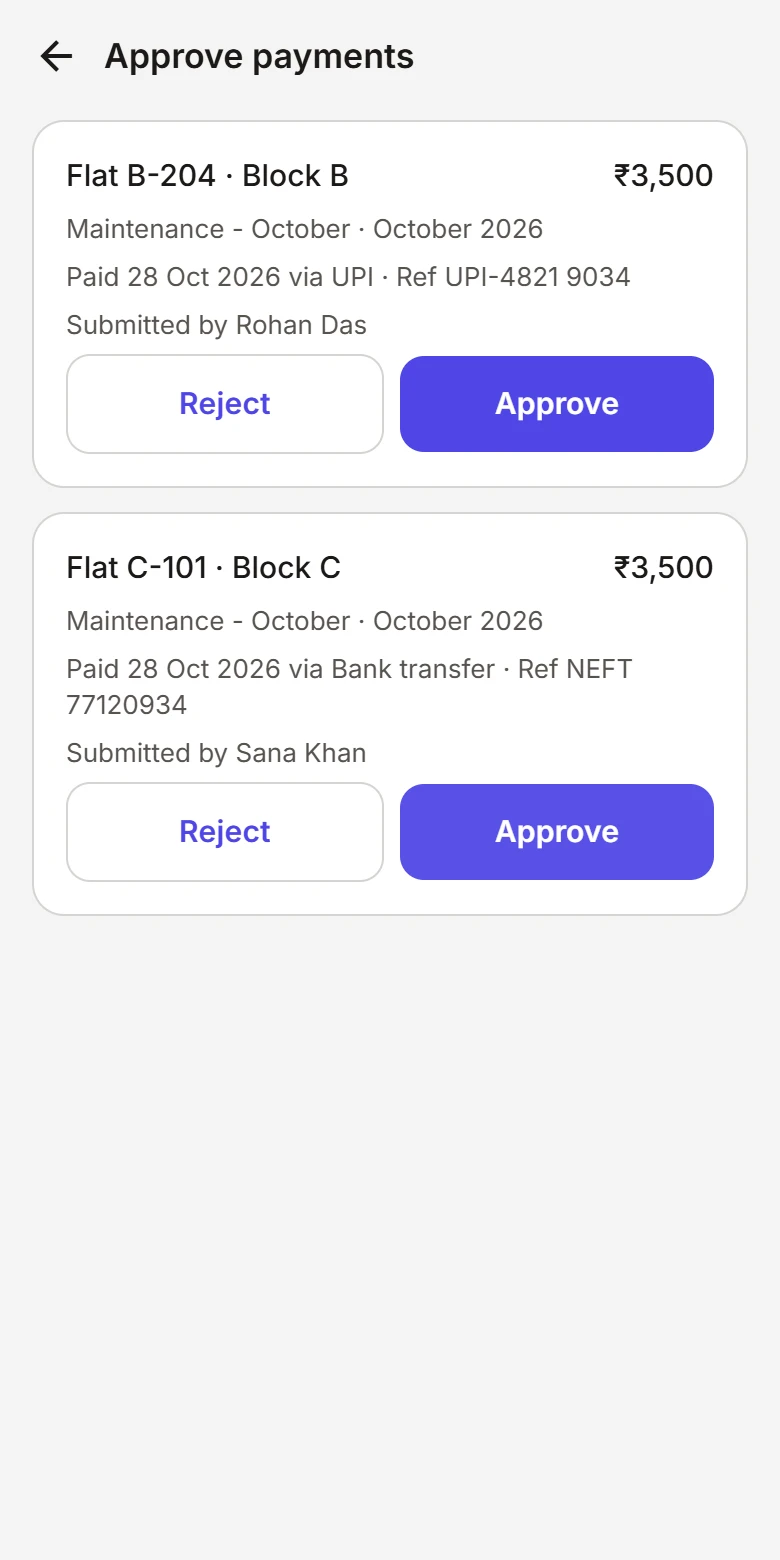
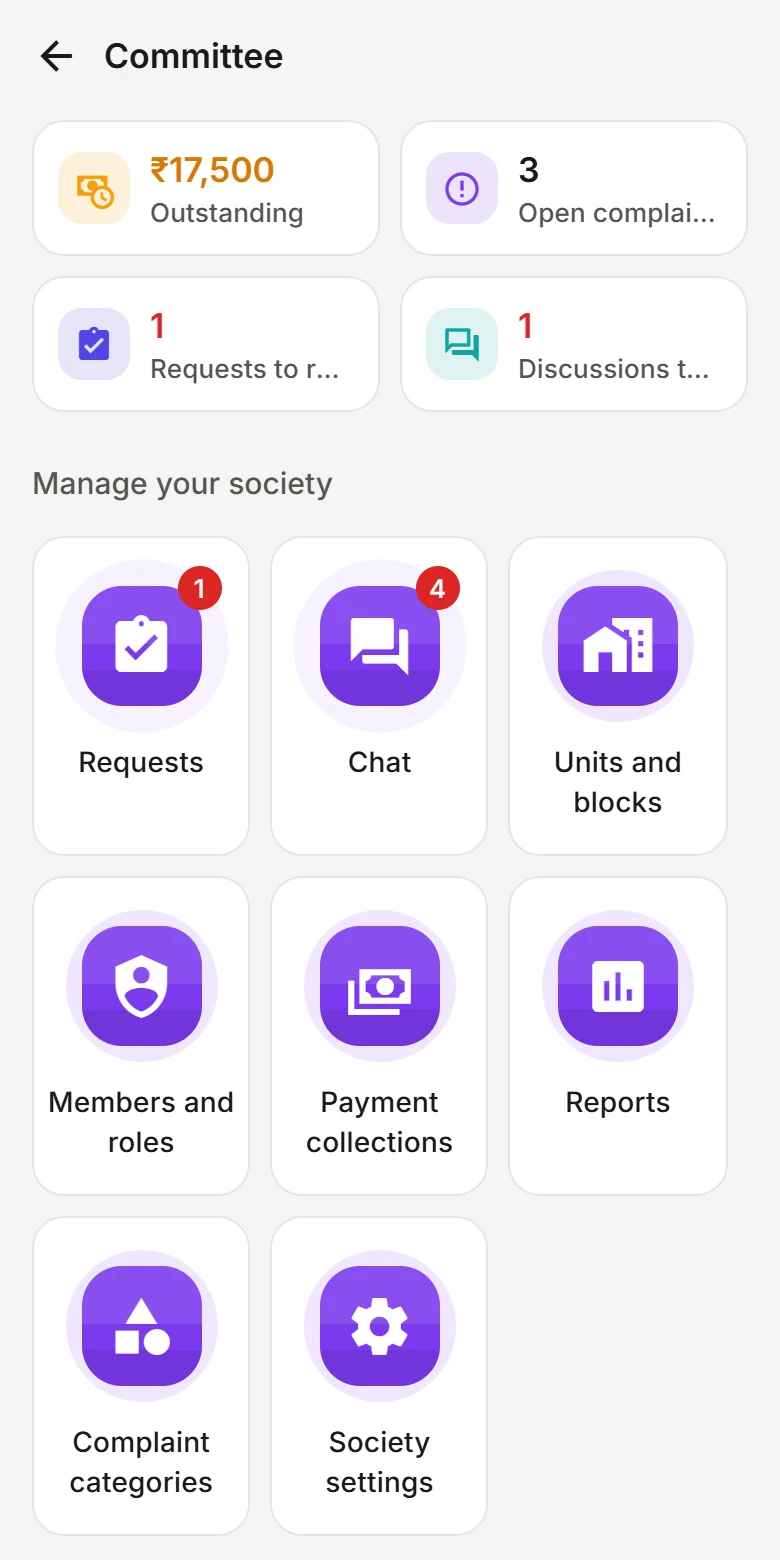
Association Management

Provide committee members with tools to manage the community and its members.

Invite residents and committee members
Committee roles that follow your association's terms
A clear record of important administrative changes
05 / 08

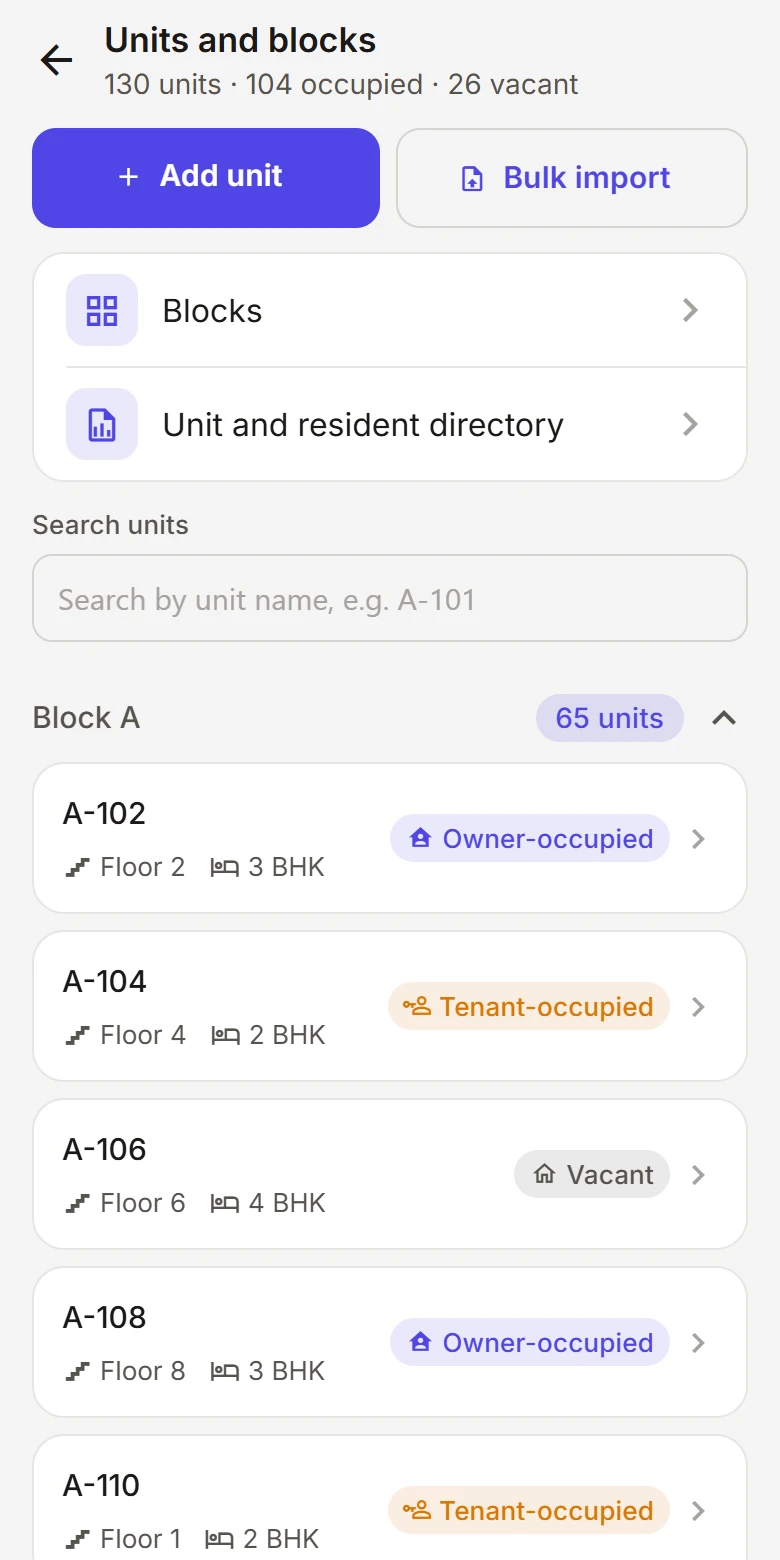
Residents & Households

Maintain a clear structure of residents, owners, tenants, apartments and households.

Owners and tenants tracked as different relationships
Households stay tied to their apartment
When someone moves out, history stays — access doesn't

Block A – C · Residents

  • A-101

    Nair family

    3 residents

    PNANRNOwner
  • A-102

    Shah household

    2 residents

    KSISTenant
  • A-402

    Das family

    4 residents

    RDMDADOwner
  • B-201

    Khan household

    2 residents

    SKIKTenant
  • B-305

    Iyer family

    2 residents

    MISIOwner
  • C-104

    Mehta household

    1 resident

    AMTenant

Try the filters — this is a live preview.

06 / 08

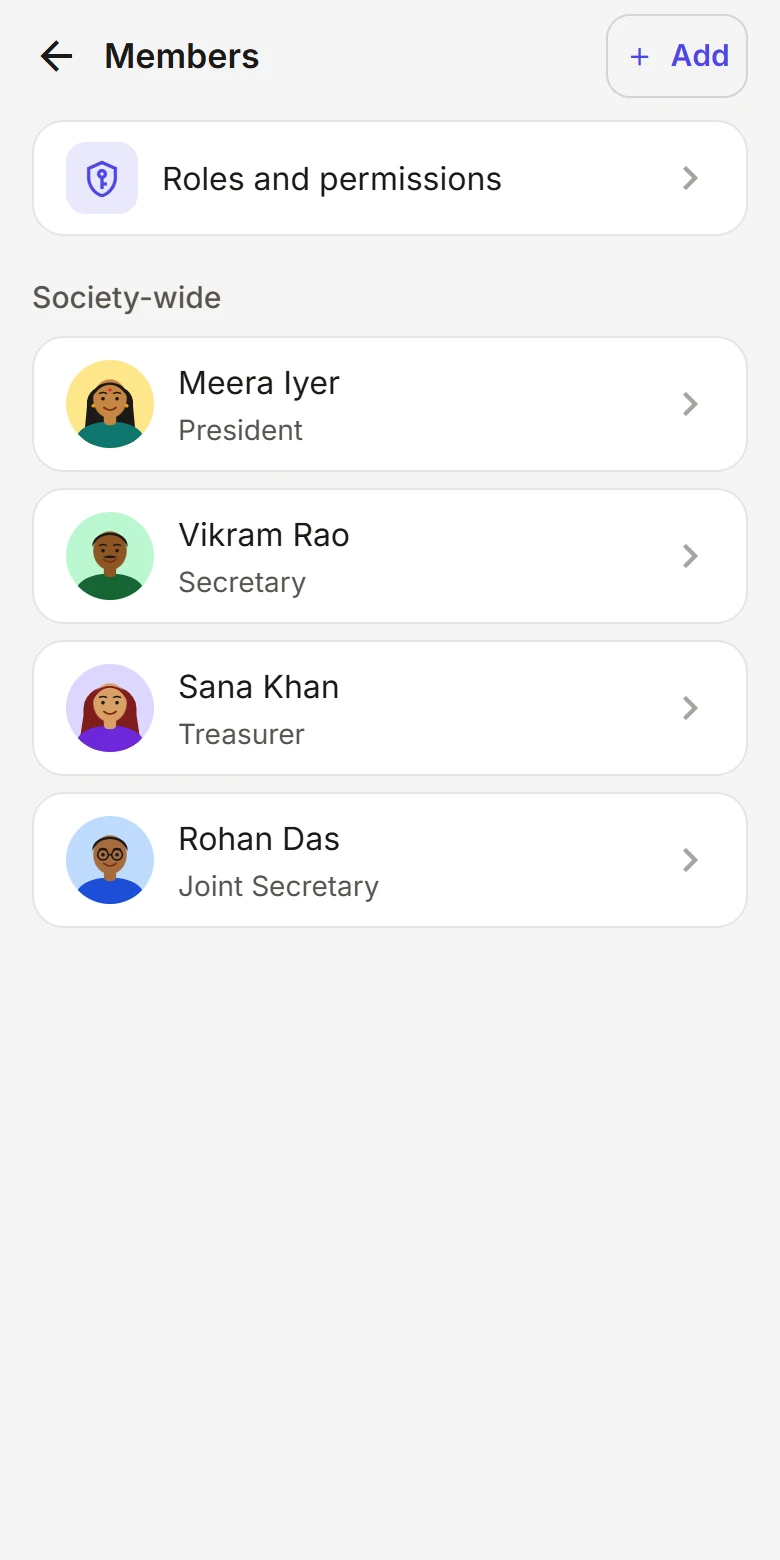
Roles & Permissions

Allow associations to define roles and control what different users can access.

Start from sensible default roles
Create custom roles that fit your community
Permissions are enforced by the server, not just hidden in the UI

Roles

Maintenance Coordinator

Choose what this role can do

  • Post announcements
  • Moderate discussions
  • Manage residents
  • Resolve requests
  • View audit log

Try the toggles — this is a live preview.

07 / 08

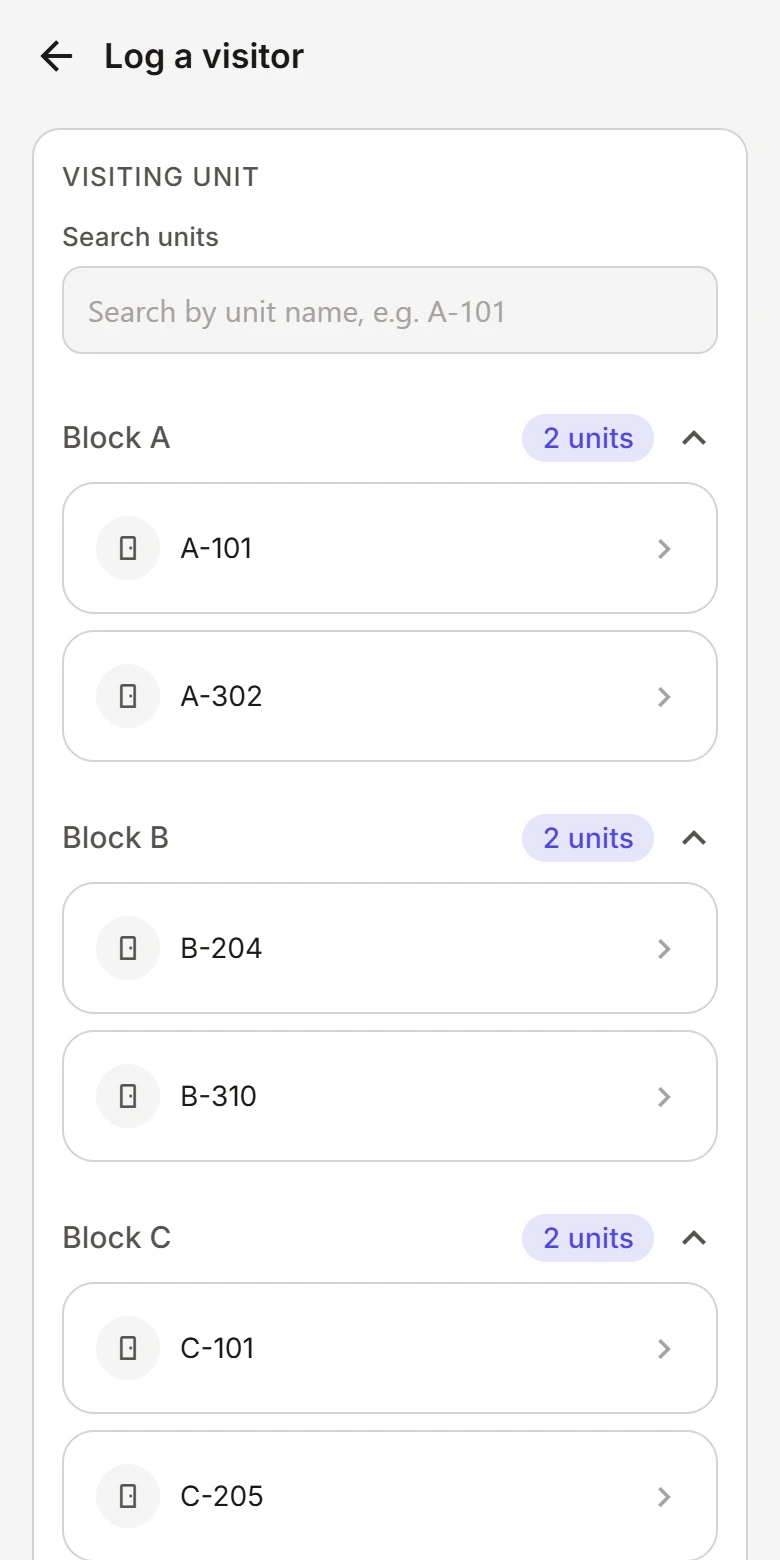
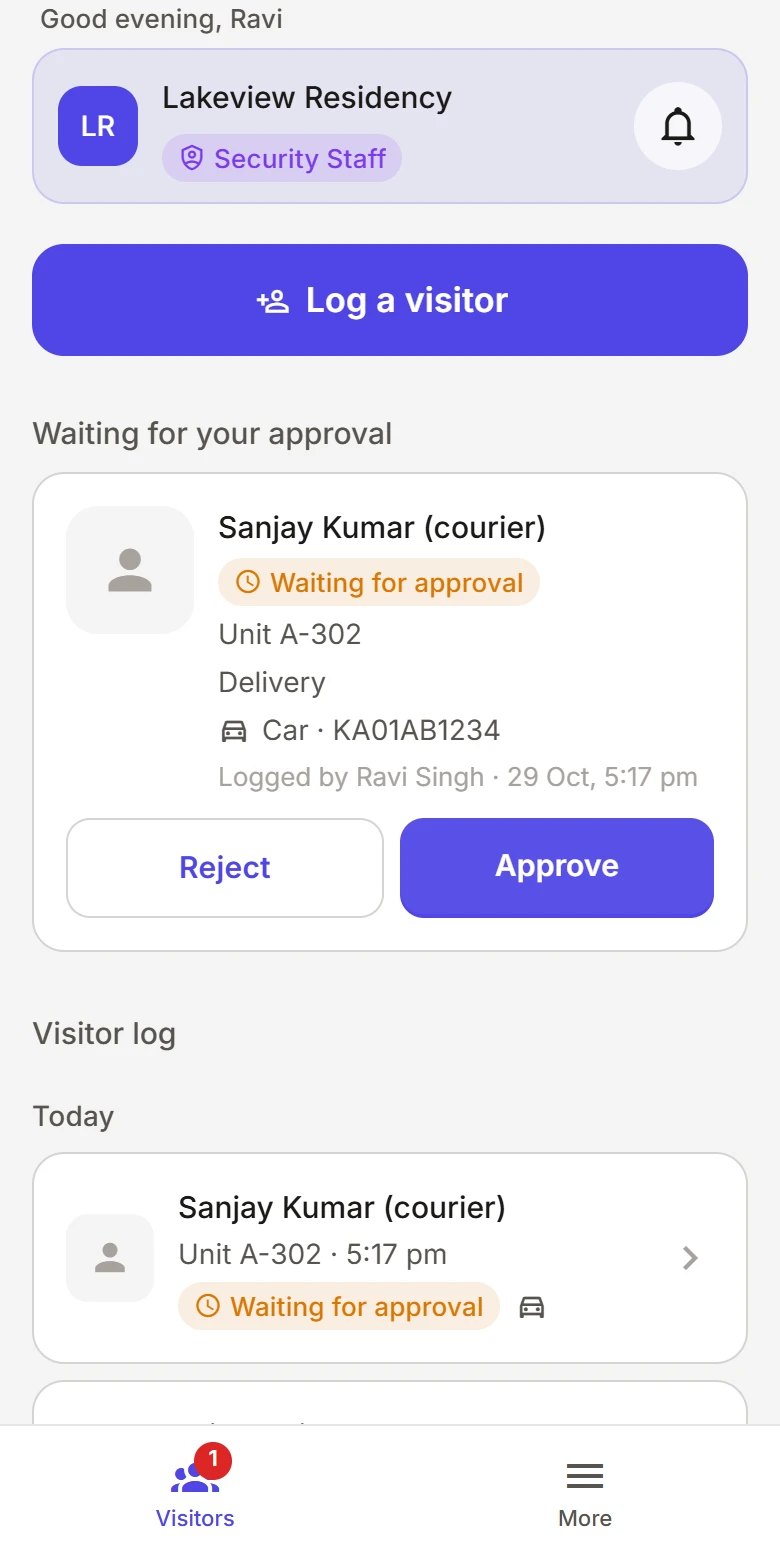
Security Access

Provide security staff with a focused interface containing only the information and actions they need.

A simple view built for the gate, not the committee room
Only the resident and house details their job requires
No access to discussions or administration
08 / 08

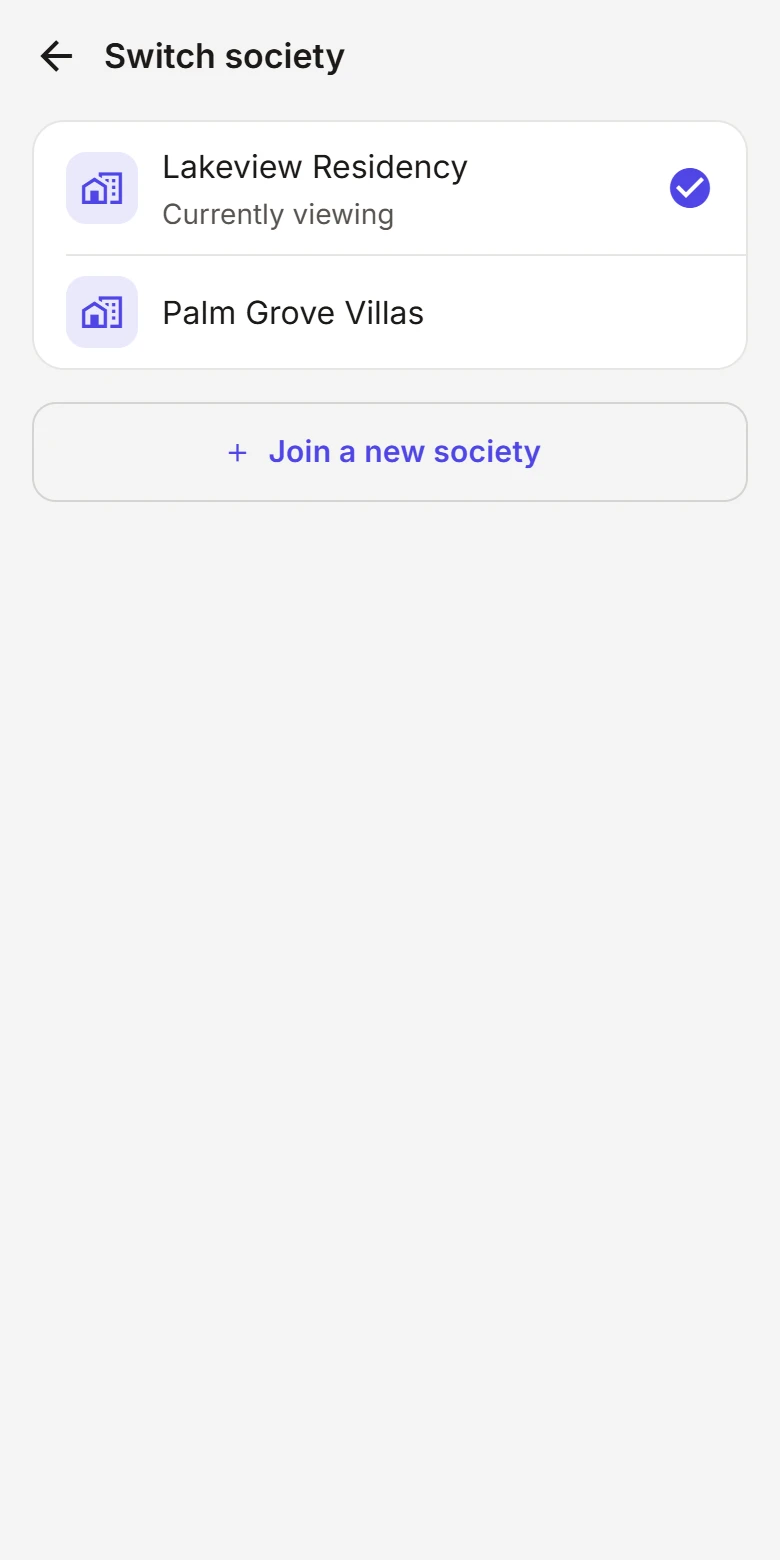
One Account. Multiple Communities.

A user can belong to multiple societies or apartments and switch between them easily.

One phone number, one sign-in
A different role in each community
Switch in a tap — each community's data stays separate
AR

Anita Rao

Member of 3 communities

Now viewing

Lakeview Residency as Secretary

12 open requests to review

Try switching — this is a live preview.

Product

See OneRoof in action.

One app, a different experience for everyone. Switch roles to see how OneRoof adapts to the person using it.

Lakeview Residency

Hi Priya

Lakeview Residency · Block A, A-101

Pinned announcement

Annual General Meeting

Sunday, 10:00 AM · Clubhouse · All residents welcome

Community feed

  • Water tank cleaning, Saturday

    Announcement · Anita Rao, Secretary

    Important
  • Visitor parking rules

    Discussion · Meera Iyer

    RDSKAM
  • Diwali get-together, Sunday evening

    Announcement · Vikram Shah, President

    New

Something needs attention?

Raise a request and follow it to resolution.

Raise a request

Your requests

  • Lift servicing

    Block B

    In progress
  • Garden sprinkler fault

    Common area

    Resolved

Join the conversation

GeneralMaintenanceEventsIdeas
Start a discussion

A calm, simple community feed — everything a resident needs, nothing they don't.

  • Community feed
  • Announcements
  • Raise a request
  • Discussions

Who it's for

Built for everyone in the community.

A community works because of many different people. OneRoof gives each of them an experience shaped around what they actually do.

Stay informed and connected.

Everything happening in the community — notices, conversations and the status of your requests — in one calm, simple place.

  • Read announcements without hunting through chats
  • Join discussions with neighbours
  • Raise a request and see it through to resolution

How it works

From first invite to running smoothly.

Getting a community onto OneRoof is simple — four steps, and everyone is under one roof.

  1. 01

    Create your community

    Set up your society with its blocks, apartments and structure — however your community is laid out.

  2. 02

    Invite residents and committee members

    Send invitations so each person joins with the right relationship to their home.

  3. 03

    Set up roles and permissions

    Start from sensible defaults or create roles that match how your association really works.

  4. 04

    Run your community from OneRoof

    Announce, discuss and resolve requests together, in one shared place.

Community structure

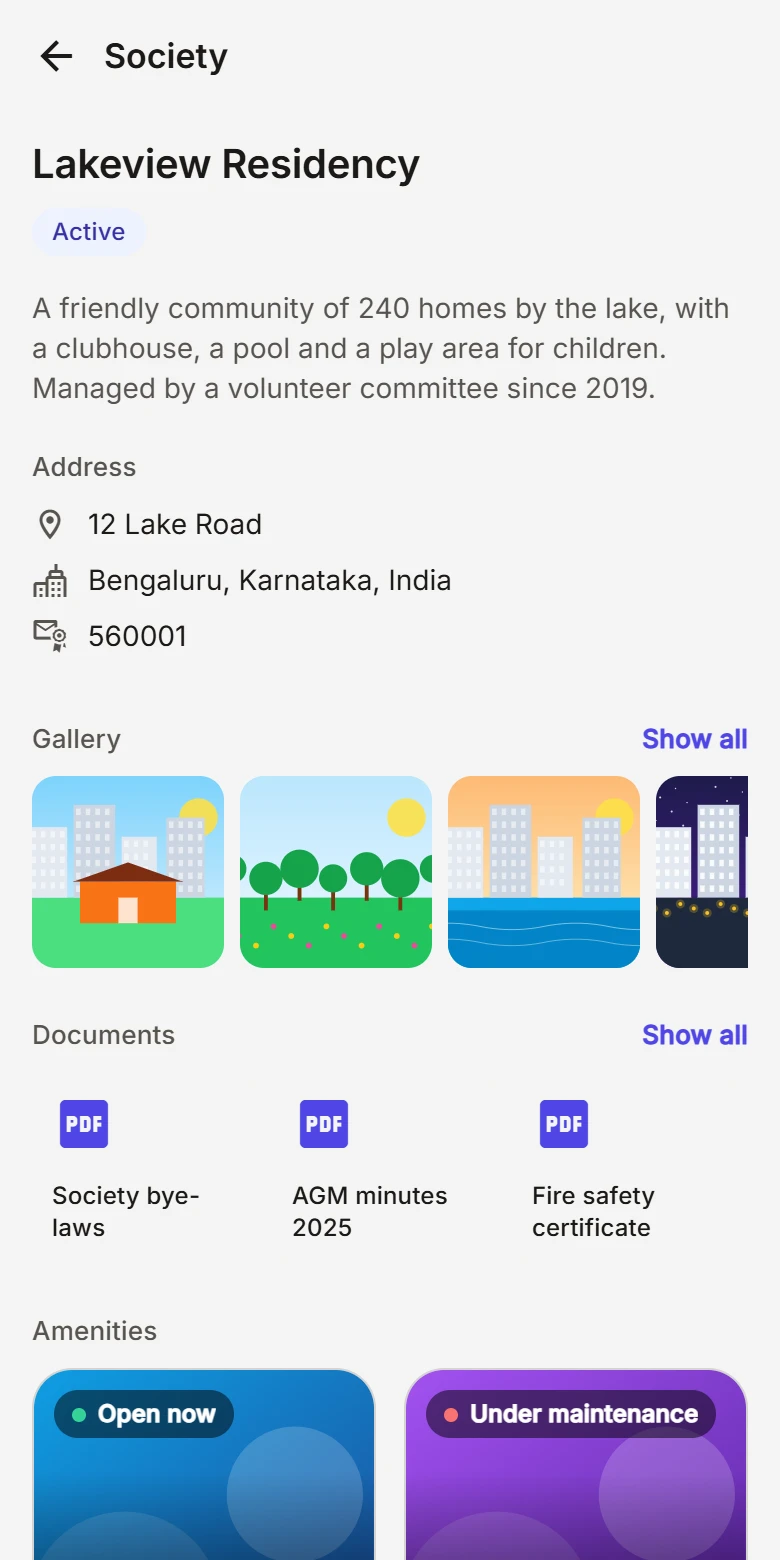
OneRoof understands how your community fits together.

From the society down to each resident, every relationship is modelled clearly — and the labels adapt to how your community is actually laid out.

Blocks. The sections of your society — towers, wings or blocks.

Security & privacy

Everyone sees what they should — and nothing more.

Community data is personal. OneRoof is designed around clear roles and deliberate access, so people only see and do what their role calls for.

Role-based access

Everyone has a role in each community, and that role defines what they can do.

Permission-based visibility

People see only what their permissions allow. Access is denied unless it is explicitly granted.

Secure authentication

Sign in with a one-time code sent to your phone number. Codes expire quickly and attempts are limited.

Protected community data

Each community's data is kept separate from every other community on the platform.

Limited access for security staff

Security teams get a focused view with only the information their work requires.

Residents and admins, kept apart

Administrative functions are separate from everyday resident features — and enforced on the server.

Who can do what

Example default permissions

Example of default permissions by role
ActionResidentCommitteeAdminSecurity
Read announcementsAllowedAllowedAllowedAllowed
Join discussionsAllowedAllowedAllowedNot allowed
Raise requestsAllowedAllowedAllowedNot allowed
Manage requestsNot allowedAllowedAllowedNot allowed
Look up a home for the gateNot allowedAllowedAllowedAllowed
Manage members & rolesNot allowedDepends on roleAllowedNot allowed
  • Permissions are enforced on the server — hiding something in the interface is never the only protection.
  • Changes to roles and members are recorded in an audit trail, visible only to authorised roles.

Illustrative defaults. Every association can adjust roles and permissions to suit its community.

Mobile-first

Designed for the phone in your pocket.

Most of community life happens on the go. OneRoof is built around the things residents do every day, so each one takes only a few taps.

9:41
Announcement
Important

Water tank cleaning this Saturday

AR

Anita Rao · Secretary · 2h ago

Water supply will be off from 10 AM to 1 PM while the overhead tanks are cleaned. Please store what you need in advance. Thank you for your cooperation.

When

Sat, 20 Sep

Time

10 AM – 1 PM

Who

All blocks

Seen by residents182 of 248
Got it

Our vision

A better way to live together.

A residential community shouldn't need several disconnected tools to communicate, manage requests and coordinate everyday life. OneRoof aims to become the simple digital layer that connects the people and operations within a community.

Simple by default

One place for communication, requests and coordination — not a different tool for each.

Built around people

Residents, committees, administrators and security each get what they need, and no more.

Growing with care

We start with the essentials and add carefully, so the platform stays simple as it grows.

FAQ

Questions, answered.

Can't find what you're looking for? We're happy to talk through how OneRoof would work for your community.

OneRoof is a community management platform for residential apartment communities. It brings residents, association management, announcements, discussions, and complaints and requests together in one simple app.

Residents, association committee members, administrators, security staff, and the developers or property managers who look after residential communities.

Yes. Everyone uses the same app. What each person sees and can do depends on their role — residents get a simple community experience, and committee members get management tools on top of it.

Yes. One account can belong to multiple societies or apartment communities, with a different role in each. You can switch between them at any time, and each community's data stays separate.

Yes. OneRoof provides sensible default roles, and associations can create custom roles and choose which permissions each one has.

Yes. Owners and tenants are tracked as different relationships to an apartment, and their access can differ accordingly. When a tenancy ends, the household's access ends while the history is preserved.

Yes. Security staff get a focused interface that shows only the information and actions needed for their responsibilities, without access to discussions or administration.

OneRoof is designed mobile-first, so everyday tasks like reading an announcement, joining a discussion or raising a request work well on a phone.

OneRoof focuses on the essentials: community and association management, residents and households, discussions, announcements, complaints and requests, roles and permissions, security access, and support for multiple societies. More will be added over time.

Choose Get Started and tell us about your community. We'll help you set up your society, invite your committee and bring residents on board.

Your community deserves a simpler way to stay connected.

Bring your residents, communication and community management together with OneRoof.